Solibri IDS Editor Release Notes - July 2026
Release date: Tuesday 14.07.2026 14.00 EEST
The IDS Editor has been updated into a more complete and easier-to-use workspace for creating, validating, managing, and delivering IDS specifications.
The redesigned interface brings key workflows together in one place. A persistent left sidebar connects IDS creation, validation, file import, cloud save, and download, while the hierarchical specification tree helps you navigate and reorder pages, specifications, sections, and facets more efficiently. These updates make it easier to move through complex IDS files and manage the authoring workflow with more clarity.
This release also introduces the IDS Validator, which helps you validate .ids and .xml files against the IDS schema before using them in your project. This is especially useful when working with IDS files created in another tool. From the validation results, you can open the file directly in the IDS Editor and fix issues in context.
Other updates include XML and PDF report preview, partial IDS export, Regex Assistant for building pattern restrictions faster, and cloud saving for IDS specifications, including the option to save drafts, publish specifications, and create new revisions.
The IDS Editor can be accessed from the Solibri Center.
-
XML Preview
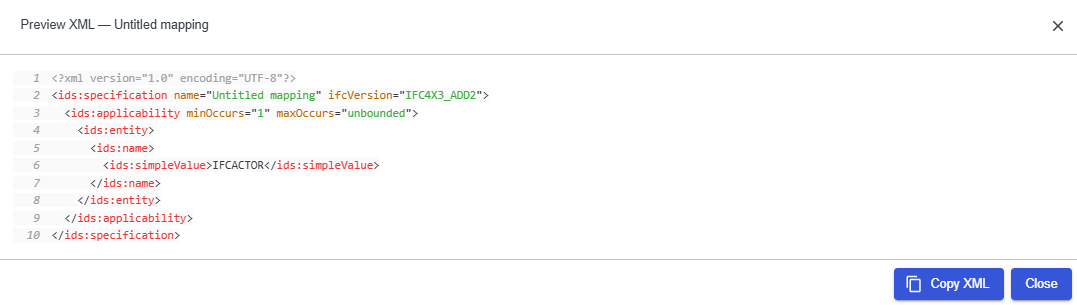
You can preview the IDS XML that the editor will produce, either for the full specification, a single specification, or an individual facet. You can also copy XML to the clipboard without leaving the IDS Editor.
- Preview XML at specification, spec, and facet level
- Syntax highlighting and copy support
- Available from the editor and from the sidebar Download → Preview IDS page
Use case: Check that titles, facets, and applicability blocks serialize correctly before downloading or saving to cloud.
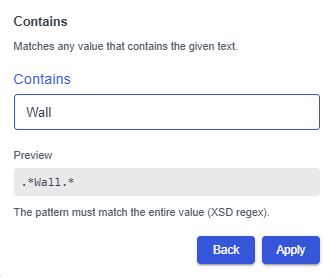
Regex Assistant (Regex preset picker)
Pattern facet fields now include a magic-wand picker that helps you build XSD 1.0-compliant regular expressions from curated presets. Single- and multi-select presets can be combined into one pattern, with a live preview before you apply it.

- Curated presets for common IDS pattern requirements
- Multi-select assembly with live preview
- Reduced risk of errors when creating regex restrictions
Use case: Define a property pattern, such as a naming convention, without writing the full regex by hand.
Collapsible navigation sidebar
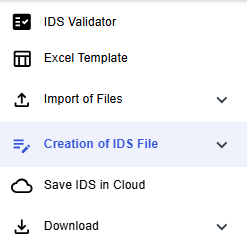
A persistent left sidebar gives you one entry point for every major area of the IDS Editor, including IDS Validator, Excel template import, IDS file import, IDS creation, cloud save, and download. The sidebar collapses to an icon rail and remembers your preference.
You can also resize the left navigation bar. Your preferred width is saved in the browser and restored the next time you use the editor.
IDS Validator (Beta)
Upload or drag and drop .ids or .xml files for XSD schema validation. Results show whether the file is valid, with detailed errors including line and column context and validation logs.
- Standalone validator at /ids-editor/validator
- Clear error listing for invalid files
- Direct handoff from validation results to the IDS Editor
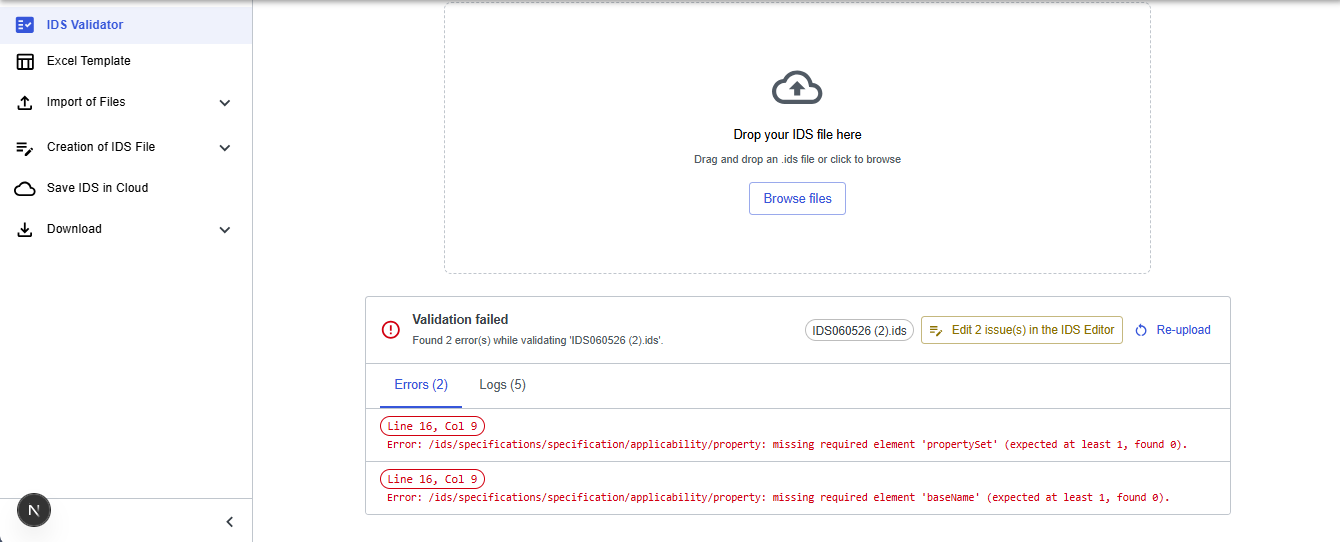
From the validation results, you can open a file directly in the editor via Open in IDS Editor or Edit N issue(s) in the IDS Editor. If you have unsaved work in the editor, a confirmation dialog appears before the file is opened. Imported files show a collapsible banner with the original validator errors, so you can fix them in context.
Use case: Validate an IDS file created in another tool, then open it directly in the IDS Editor to review and correct issues without importing it again manually.
Hierarchical specification tree
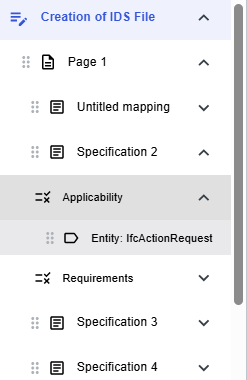
The sidebar Creation of IDS File section shows a live tree: Page → Specification → Applicability / Requirements → Facet. Click a row to focus and scroll the editor to that element, with a pulse highlight for orientation.
Drag and drop can be used to reorder pages, specifications, and facets. Moving facets across Applicability and Requirements sections is blocked to preserve IDS semantics.
Duplicate facet
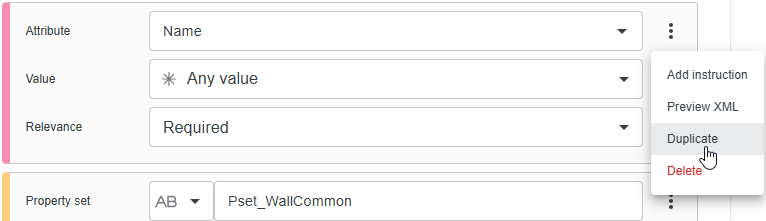
Duplicate any facet from its three-dot menu (⋮). The copy is inserted directly below the source facet within the same applicability or requirement block.
- Available for property, classification, material, attribute, and relationship facets
- Supports faster iteration when several similar restrictions are needed
Note: Entity facets are excluded (IDS semantics)
Partial IDS export — selected specifications only
Export is no longer all-or-nothing. From the sidebar Download group or the editor Download menu, you can download the whole IDS file or download selected specifications only using checkboxes in the sidebar specification tree.
Both paths open a unified preview page first. Download IDS saves exactly what you see on screen. Per-specification download from the spec menu opens the preview for that single specification.
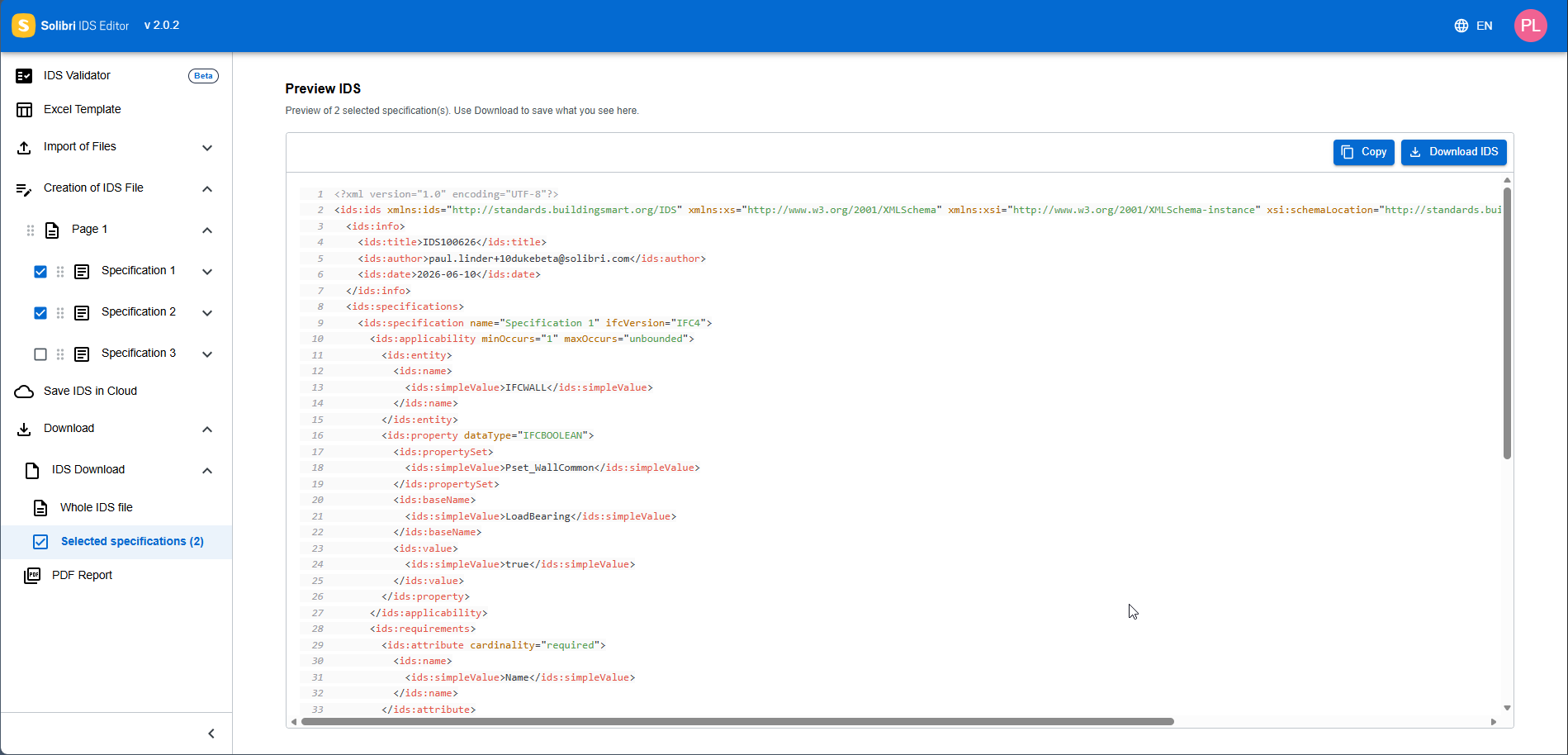
Note: Selected export is disabled when validation errors exist in the selection, or when the IDS title is missing.
Use case: Share or archive only the specifications relevant to one discipline without splitting the IDS file manually.
Save IDS in Cloud
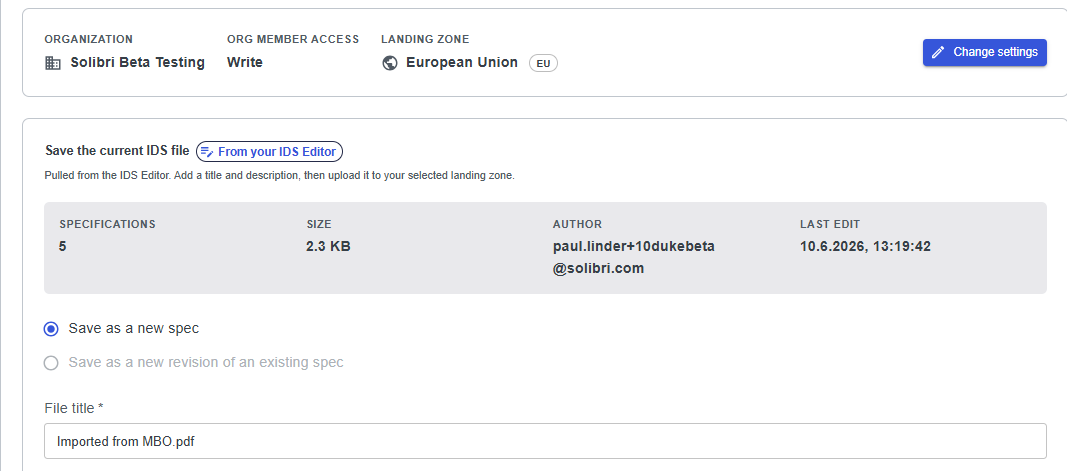
The IDS Editor now supports end-to-end integration with Solibri file storage.
- Save specifications in your landing zone
- Save as a new specification or as a revision of an existing one
- Publish immediately or save as a draft
- View version history, publish versions, and delete versions
- Set up the connection using your Personal workspace, landing zone from login, and organization member access level: Read, Write, or Manage
Note: In the near future, you will also be able to share IDS files with colleagues within your organization.
Use case: Maintain a team IDS library in the Solibri cloud environment, publish specifications when ready, and create new revisions from the editor via Save to Cloud, access IDS files from team colleagues of your organization.
Download section
The sidebar Download group includes:
- Preview IDS — pretty-printed XML with copy and download
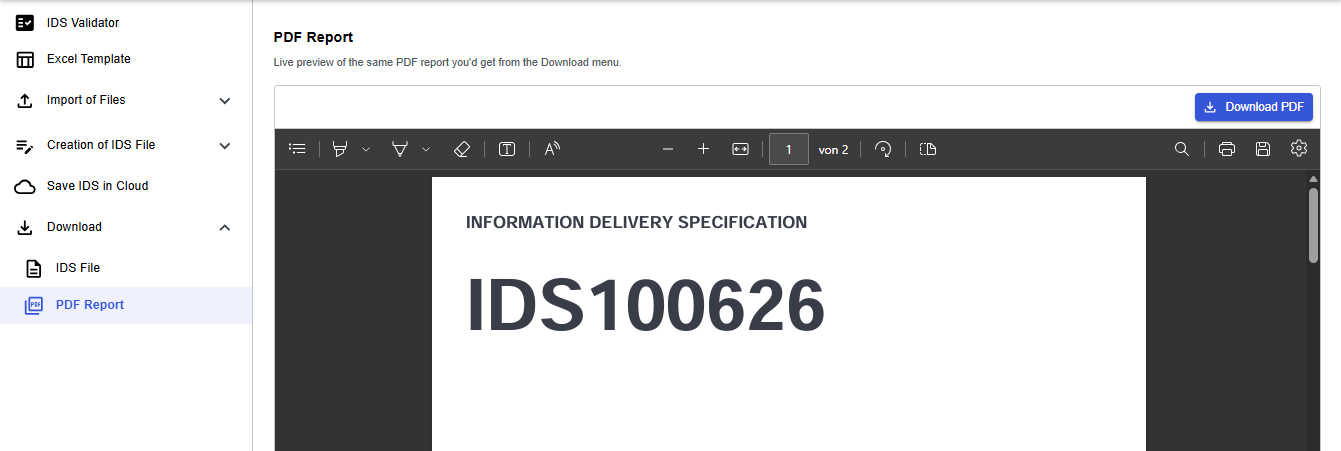
- PDF Report — live inline preview and PDF download, using the same output as the editor download menu
-
- File import is grouped in the sidebar with separate flows for .ids files and Excel templates (.xlsx). Each flow has tailored dropzone copy and validation.
- Additional validation on IDS field values in the editor helps catch more issues before export or cloud save.
- Layout and spacing consistency has been improved in the embedded IDS rule UI.
- Edit-button behavior has been aligned with Solibri desktop application.
-
- Fixed enum handling when importing IDS files
- Error messaging improvements in desktop webview
- Excel template import fixes