Solibri Release Notes - April 2026
Release date: Monday 13.04.2026 9.00 EEST
Solibri today announced the launch of its new platform offerings, introducing a new portfolio designed to support organizations at every level of digital construction maturity. With this release, Solibri also confirmed that its previous product offerings—Solibri Office, Solibri CheckPoint, Solibri Site, and Solibri Anywhere—will transition into legacy products.
This launch marks a major milestone in the evolution of Solibri and reflects the growing importance of structured model validation, quality assurance, compliance, and collaboration across the building lifecycle.
The Solibri platform is now available through Solibri Starter, Solibri Essential, Solibri Advanced, and Solibri Premium, with Solibri Security+ available as a standalone offering for secure and air-gapped environments. Read the full announcement here.
Desktop updates
This release (v26.4.0) delivers high-impact improvements across rules and model handling, with a strong focus on faster workflows and clearer, more actionable checking outcomes. It features updates to key Solibri rules, upgraded markup tools and 3D handling, expanded measurement tools, presentation enhancements, and stronger localization control through grids.
Other key updates include:
- Point Cloud is now available for Solibri users in pre-release—bringing reality-capture scan data into Solibri, which is critical in the industry for validating models against as-built conditions and improving coordination confidence.
- The new integration connects Solibri's desktop and cloud environment so teams can initiate projects, run checks, and manage issues more continuously across both.
- New COBie extension functionality and significant improvements that will be especially important for teams delivering structured asset data for handover, helping reduce manual cleanup and improving the reliability of operations-ready information.
View the full list of updates and more information in the sections below.
-
Rule #9 – Property Checker: Added Excel export for Allowed Property Values.

- Rule #207 – Accessible Ramp: New option to enforce consistent gradient for all ramp runs.
- Rule #208 – Accessible Door: Improved handling of zero-depth parameters with a default 850 mm check depth and added an option for double doors clearance
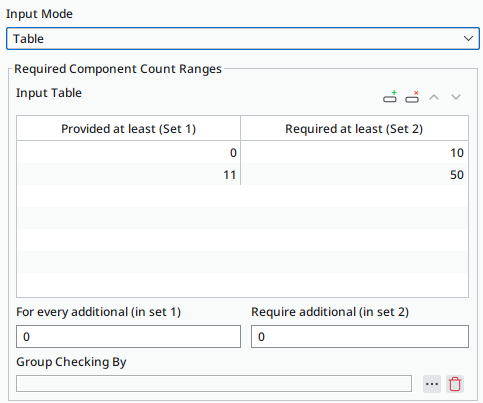
Rule #235 – Number of Components: New table mode for range-based requirements (e.g. parking), plus extra ratio support for values beyond defined ranges.
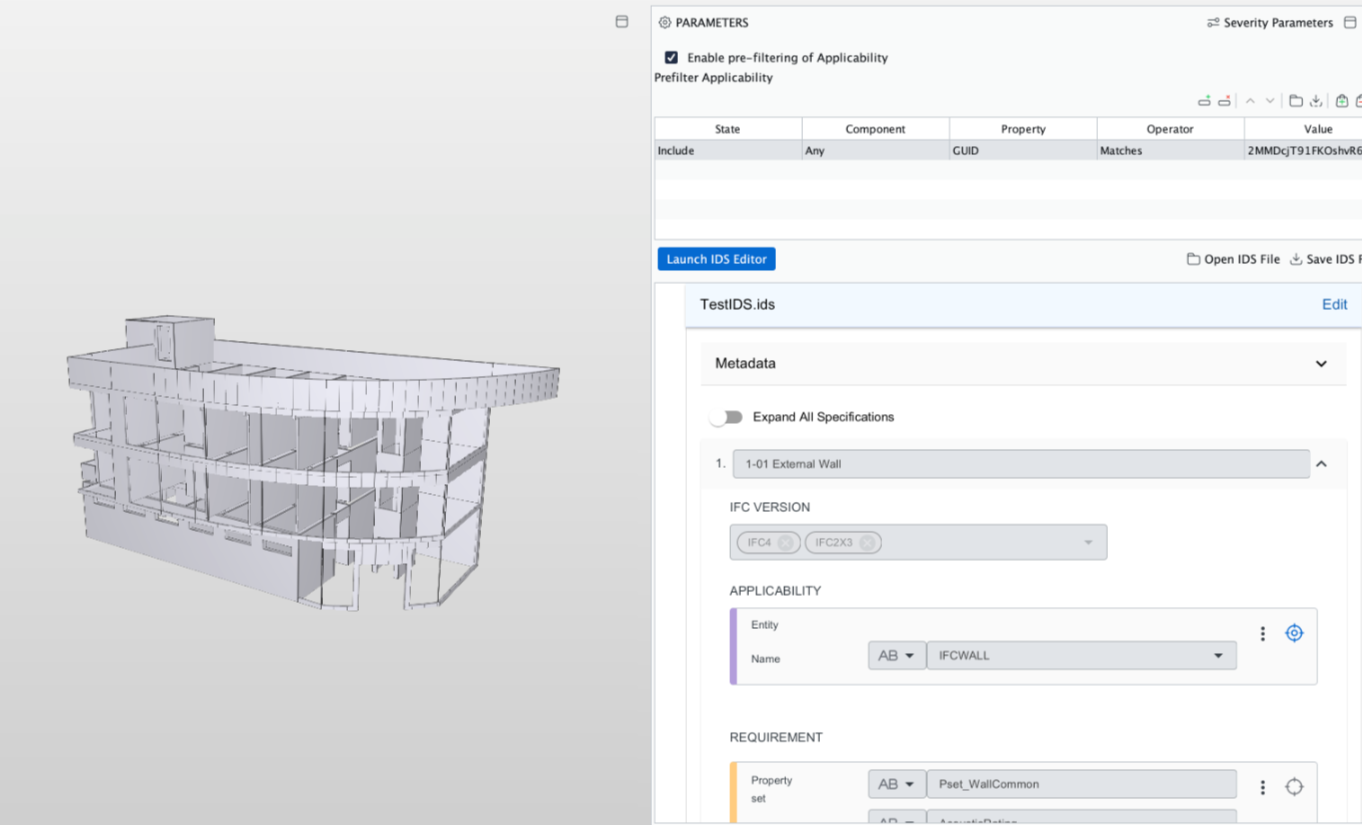
Rule #244 – IDS: Added offline fallback in parameter panel; improved connection between Facets and 3D View and the UI of the Webview layout.
- Rule #246 – Accessible Space: Enhanced visualizations for failed checks and accessible paths.
- Rule #247 – Accessible Route / Local Circulation: Improved thin obstacle detection (down to ~3 cm); added “Can Walk Through Door” option.
- Rule #248 – Free Space Around Component: Added symmetry-based back-side detection and clearer parameter naming.
-
Integrations
- We added new integration with our own cloud interface (ex. CheckPoint). Now you can initiate projects, run initial checks, and manage issues using Comms in the cloud-based environment and share them with your team to open in the desktop application. Find out more about Comms here.
- Autodesk Forma: ACC has been rebranded as Forma, and this is reflected within Solibri.
Performance
- Solibri's startup time has been improved.
Point cloud pre-release
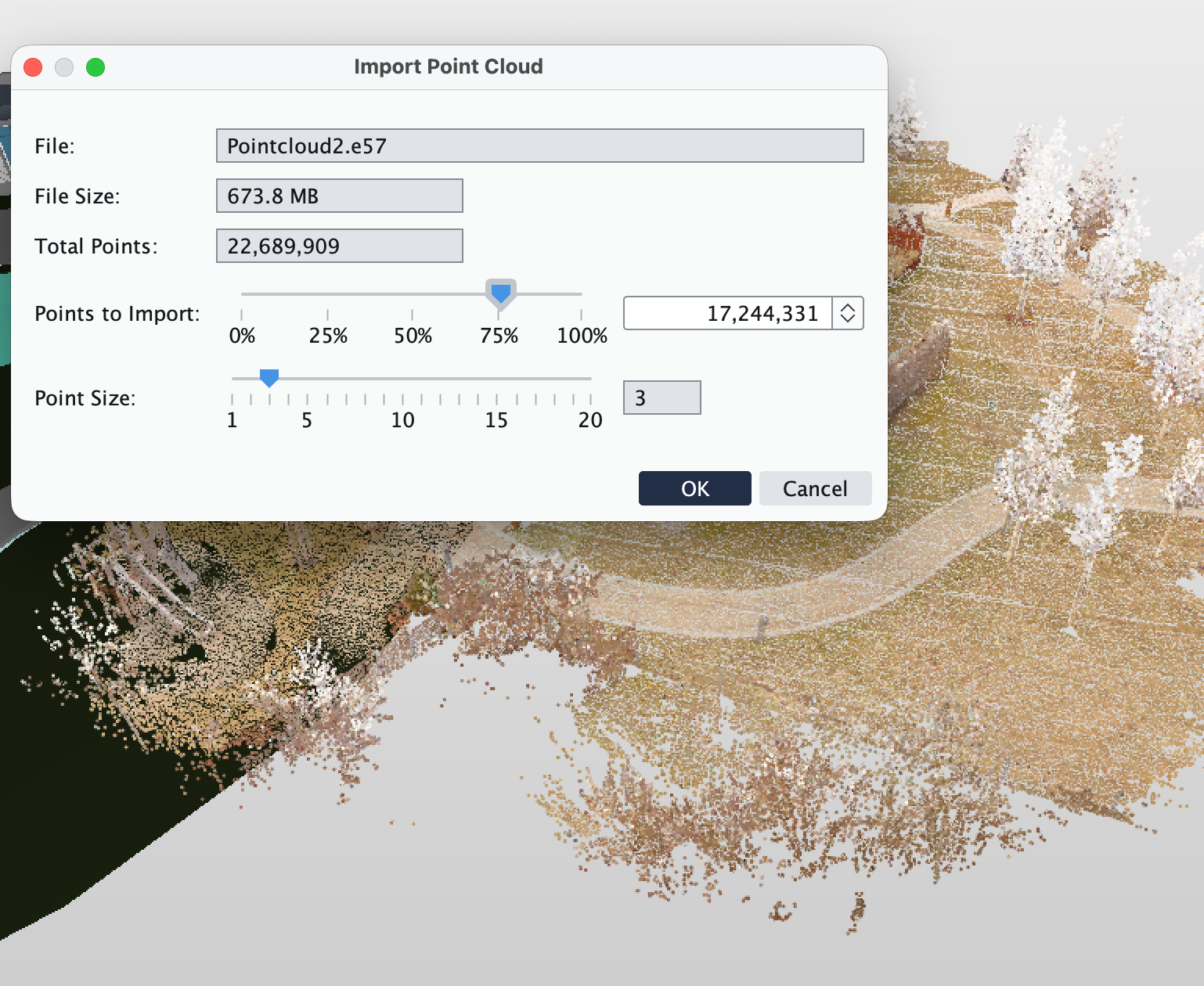
- Solibri now supports importing e57 point clouds. Simply drag and drop your files into the Model Tree.
- The point density and size can be adjusted upon import, or by right-clicking in the Model Tree for Point Cloud settings.
Point clouds are currently available for Premium tier and Enterprise customers.
Export Vector Graphics
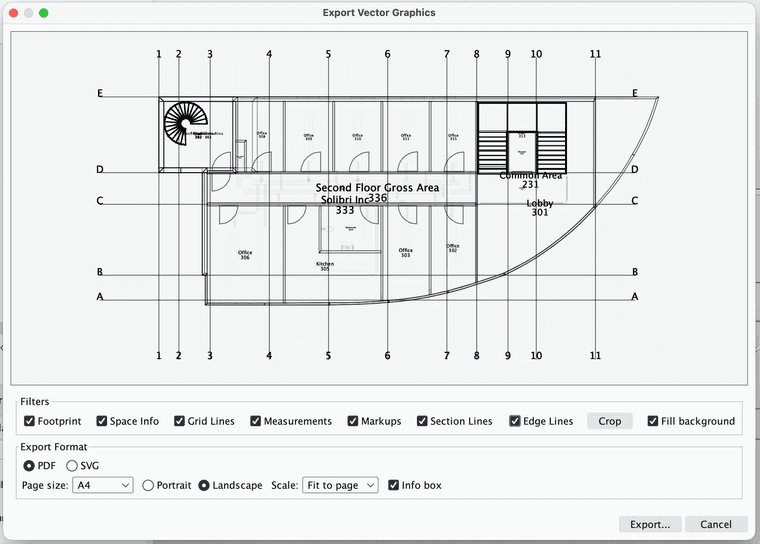
- From the 3D view, it is possible to setup and export PDF and SVG files. This feature is available for Enterprise, Advanced, and Premium license holders.
Markup tools and 3D
- Rectangular shapes are now supported in markup tools.
- Selecting, moving, and editing Markups is now fine-tuned.
- We’ve implemented a tool to align the camera angle perpendicular to selected surface, available from the right-click menu.
Measurement tools
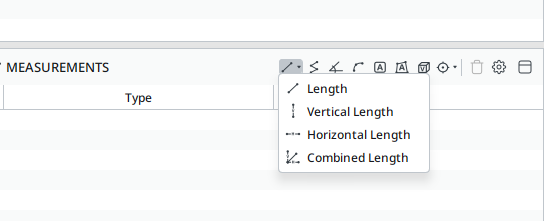
- Measurement tools now support live measurements, continuously displaying the current figure of measurements being made.
- Support for measuring Circular Arcs has been implemented.
We have added Combined length, making it possible to measure simultaneously vertical, horizontal, and diagonal length measurements.
Presentations
- Added support for exporting Slide Creation and Modification Dates with the Coordination report.
- Added options to adjust the background and text colors of issue details in 3D view.
Grids
- Directly from the Model tree, it is now possible to adjust the visibility, and select a reference grid from the available grids in Solibri.
- Grid labels are now available at section cutoffs.
- Additional settings for grids have been implemented, including Intersection labeling.
- Gridlines are now visible in orthogonal side, front, and back views.
- Revit Ceiling grids are now supported in Solibri.
Sectioning
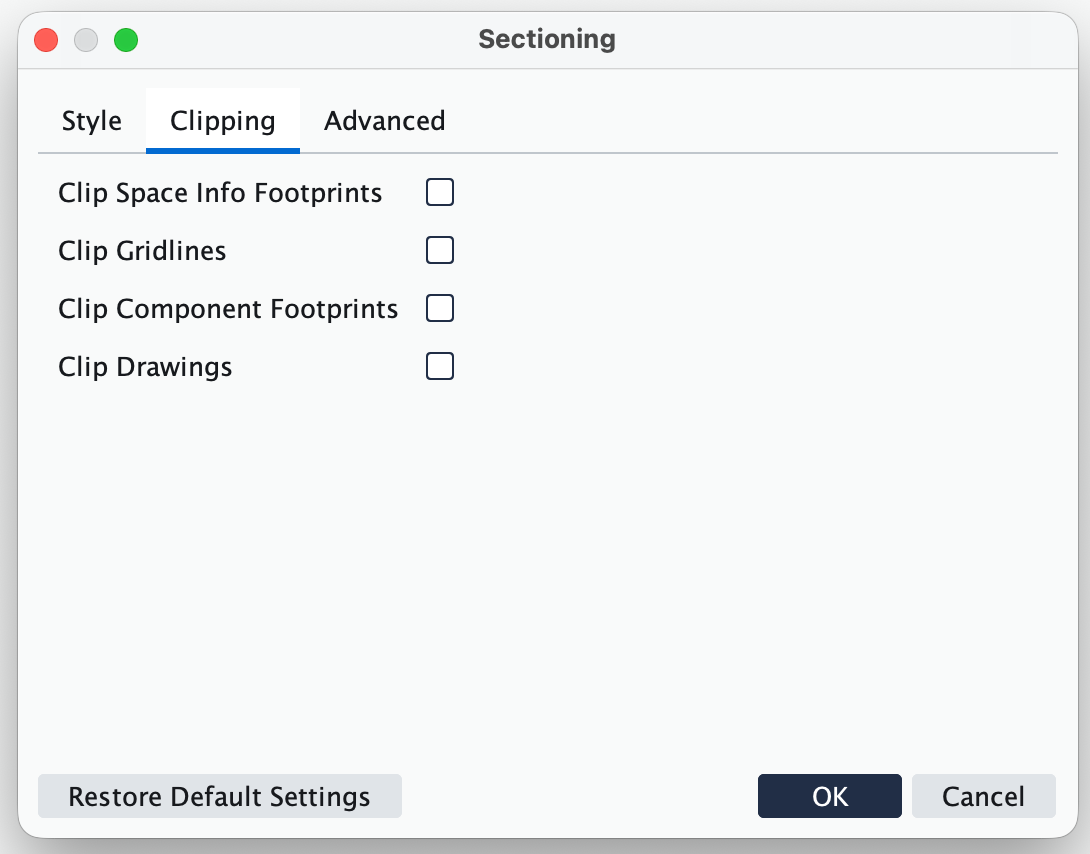
Section settings now include more options for clipping, to prevent or allow the section to clip gridlines, footprints, and drawings.
IFC- Added support for IfcTriangulatedIrregularNetwork.
- Added support for Type GUID and Type Description.
- IFCspatial zones are now displayed transparent in 3D.
- In the event that a type does not have a name, Solibri will now show the type Pset.
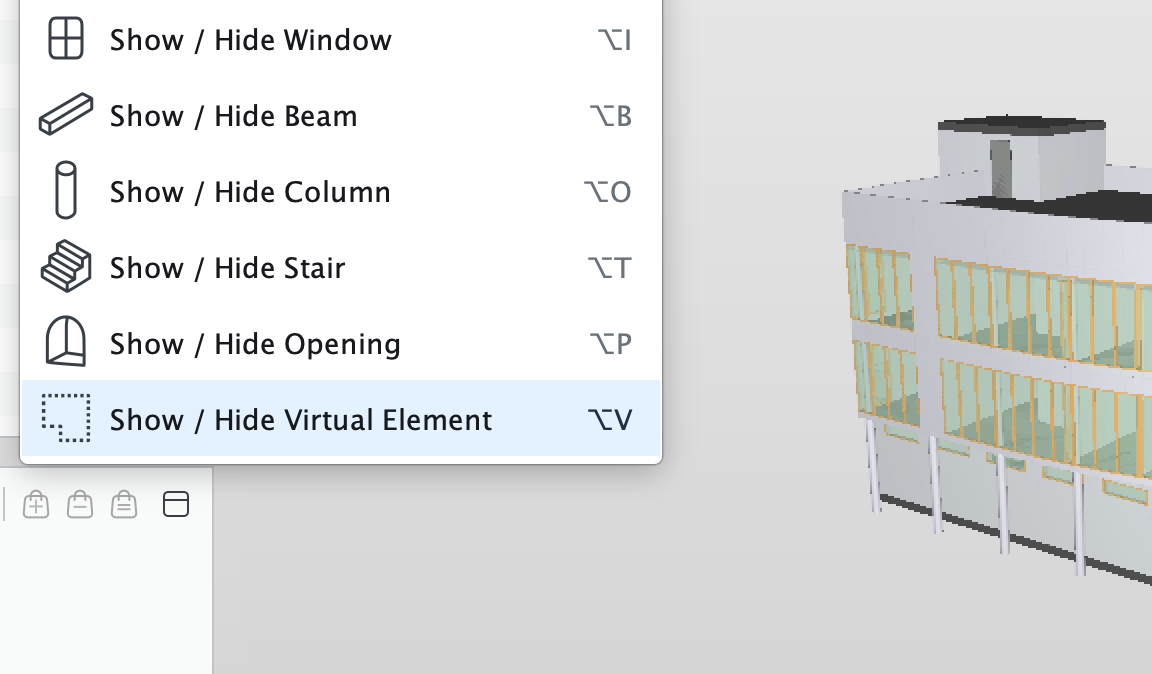
Added support for IfcVirtualElement.
Solibri Developer Platform
- Added support for Checking.getResults(Component) to API.
-
We’ve made a lot of improvements to COBie extension in this release, including:
New Functionality- Column and row selection colouring has been improved for Dark Mode.
- Text and values colouring has been improved for Dark Mode.
- Implemented a freeze for the header row which remains visible when scrolling.
- Zone sheet visualisation improved to include both one space per zone or multi space listing.
- Dynamic Duplicate detection and visualisation directly in the sheets.
- Duplicate visualisation export to report.
- IFC SI Units now available in Solibri.
- IFC Author / COBie Person and Organisation data available in Solibri.
- Nearest space adjusted for doors automatically listing the door the space opens into.
- COBie Contact sheet support via ITO.
- COBie Contact Sheet support for automatic inclusion of manufacture types.
- Dynamic Sheet navigation on related fields.
- New COBie resources and Manual from Evolve Consultancy to NBIM’s standard.
Bug fixes
- Resolved an issue where component sheet was failing to report Nearest space Relationship for some components.
- Resolved an issue where under certain conditions, the Calculate function was inactive.
- Resolved an issue where Calculate remained active even after closing the model.
- Resolved an issue where sheets only list attributes for Spaces and Components.
-
- Resolved an issue where the column selection chooser in Issues view was shown as transparent.
- Resolved an issue where Units in Rule Parameter View were not updating immediately after making changes to units.
- Resolved an issue related to IFCGLOBALLYUNIQUEID being null, resulting in IFC models failing to open.
- Resolved an issue where while editing rules, classifications, or ITOs, changing the Component was resetting the rest of the line.
- Resolved an issue where changing component was resetting other value fields in rules, classifications and ITO.
- Autorun: Resolved an issue where ITO plain report failed without name attribute (which is optional).
- Resolved an issue where Result Summary Report was failing with IDS checks.
- Resolved an issue where BIM360/ACC folder names in Solibri were not matching folder names on the server.
- Resolved an issue in ACC where it was not possible to update/edit the paths of deleted files.
- Rule #9 – Property Checker: Fixed “Any” component behavior, alphabetized property set names, confirmed correct gatekeeper functionality.
- Rule #207 – Accessible Ramp: Fixed handrail extension and landing length reporting issues & Clear width for ramps.
- Rule #208 – Accessible Door: Fixed clearance area alignment for various door types.
- Rule #210 – Handrail Continuity: Fixed missed detection of discontinuous handrails.
- Rule #235 – NPE: Fixed Null-Pointer-Exception in UI.
- Rule #244 – Exclude filtered-out components from other components in results.
- Rule #245 – Clash Detection Matrix: Aligned decomposed component results with Rule 1 (Intersection).
- Rule #246 – Accessible Space: Fixed door swing display errors.
- Rule #247 – Accessible Route / Local Circulation: Fixed false obstacle detections near doors.
- Rule #248 – Free Space Around Component: Fixed clearance issues and improved message clarity.
-
Product selection
From version 26.4.0 onwards, you no longer need to worry about choosing a product. Solibri will automatically select the highest license type available to you at the moment of login, so you can start working right away.
Solibri Anywhere
Solibri Anywhere is now a legacy product and will gradually be phased out as part of the transition to the One Solibri platform.
It remains available as a fallback for Solibri Office and Site license holders. It will no longer be actively developed or extended. Access is automatically managed as a fallback when other licenses are not available.
If you are using the free version of Solibri Anywhere:
- You can continue using existing versions (prior to version 26.4.0)
- If you update to a newer version, access to Anywhere will no longer be available. In that case, you will see a message: “No licenses available, contact your Admin”
If you rely on Solibri Anywhere for model access and review, we recommend moving to Solibri Starter — the newest addition to the Solibri family, designed to help you get more from your collaborative workflows.
Cloud updates
Our latest version of Solibri's cloud environment (ex. CheckPoint), brings a Files and Issue Management COMMs integration to Solibri's desktop environment. Solibri desktop and cloud services work together to support a continuous BIM quality and coordination workflow.
-
COMMs
COMMs functionality in Solibri's cloud environment allows you to communicate insights from checking and visual inspection in an interactive and immersive way. COMMs contain metadata, source info (how this COMM item came to be), link to 3D scene and the elements, viewport, and screenshots. Read more about COMMs here.
Desktop integration
Solibri’s desktop and cloud environments now work together to support a continuous BIM quality and coordination workflow, thanks to COMMs functionality backed by Files and Issue Management integrations. Learn more in this guide.
Vector search
The search feature lets you find building elements using everyday language. For example, you could type "walls on the second floor" and it will find matching elements.
Landing page
When user goes to checkpoint.solibri.com they get to a landing page from where they select the region.
-
Improved handling of concave elements when performing clash check.
-
- Fixed the issue where Free space check box alignment UI didn’t work when the window width was too small.
- Fixed the issue when deleting a model version from the models set up dialog triggered a false warning about the the version being used in another model set.
- Fixed the issue where Japanese characters were not visible in the column headers of the data viewer.
- Fixed the issue where properties from the previously loaded projects’ models were shown in the list of properties in the data viewer editor.
- Fixed an issue where clicks on UI panels could unintentionally select objects in the 3D viewer.
-
- Switching projects while the data viewer is open can cause errors.
- In the Filter Editor, Property Check Editor, and Data View editor, some properties (in some models) are duplicated.
- Moving folders from your personal library to your project library is not possible when items inside the folder are being used in either a data view or rule.
- When adding a filter to COMMs list, selecting different values to filter by filter could cause mismatched behaviour between the selected and utilised values.
- When model upload gets interrupted, reloading the page will result in that model being stuck in a loading loop.
- Vector search functionality can take some time to get available for the previously uploaded models.
IDS Editor
This release introduces enhanced interoperability with Solibri's desktop environment, along with several improvements to the IDS Rule feature. The IDS Editor is available to all Solibri customers and can be accessed from the Solibri Center.
WebChecker
Solibri WebChecker is a new browser-based validation service, now available in Beta, that allows you to do a quick BIM model health assessment using Solibri’s pre-set rules or by uploading your own custom .cset checks. WebChecker is designed for team members without deep BIM QA expertise who still need confident, consistent results—for example, when validating a model for compliance before submitting it to a digital permitting workflow.
Teams can also turn internal checking standards into a reusable resource by preparing a standardized .cset ruleset in Solibri (Advanced, Premium), uploading it to WebChecker, and running the same check web-based across projects. That way, your colleagues can apply consistent QA rules without needing to set up their own environments, and results stay comparable over time. Learn more about the WebChecker beta below.
-
Solibri WebChecker is now available in Beta and can be accessed via this link.
With Web checker you can:
Upload IFC models and run checks in the cloud.
Start with the built-in Model Health check (default ruleset), or upload your own custom .cset checks
Review results in the browser and export findings as PDF or BCF
SMC export is available with Solibri Premium