Solibri 25.9.0 Release Notes
Update to Solibri Office version 25.9.0 and take advantage of communication and BCF Live improvements and new quality assurance rules.
We are excited to announce the release of our new Solibri Office version 25.9.0!
Release date: Wednesday 1.10.2025
Version 25.9.0, designed to make communication smoother and deliver more checking capabilities for your BIM workflows. This update gives project teams better ways to stay in sync via improved BCF communication and makes accessibility verification even better with new rules for passageways and ramps.
You can access the latest version 25.9.0 in Solibri Center by selecting Solibri Office and opting for the newest version.
What’s new in Solibri Office v25.9.0?
Enhanced communication
With 25.9.0 we’ve made some improvements and enhancements to BCF and communication in general.
- Improved linking: We’ve improved the synchronization between server side issues and local/checking result slides. Now, changes made locally and on the server side will sync up with BCF Live, bringing with it any needed conflict resolution dialogs, while reserving the checking result link.
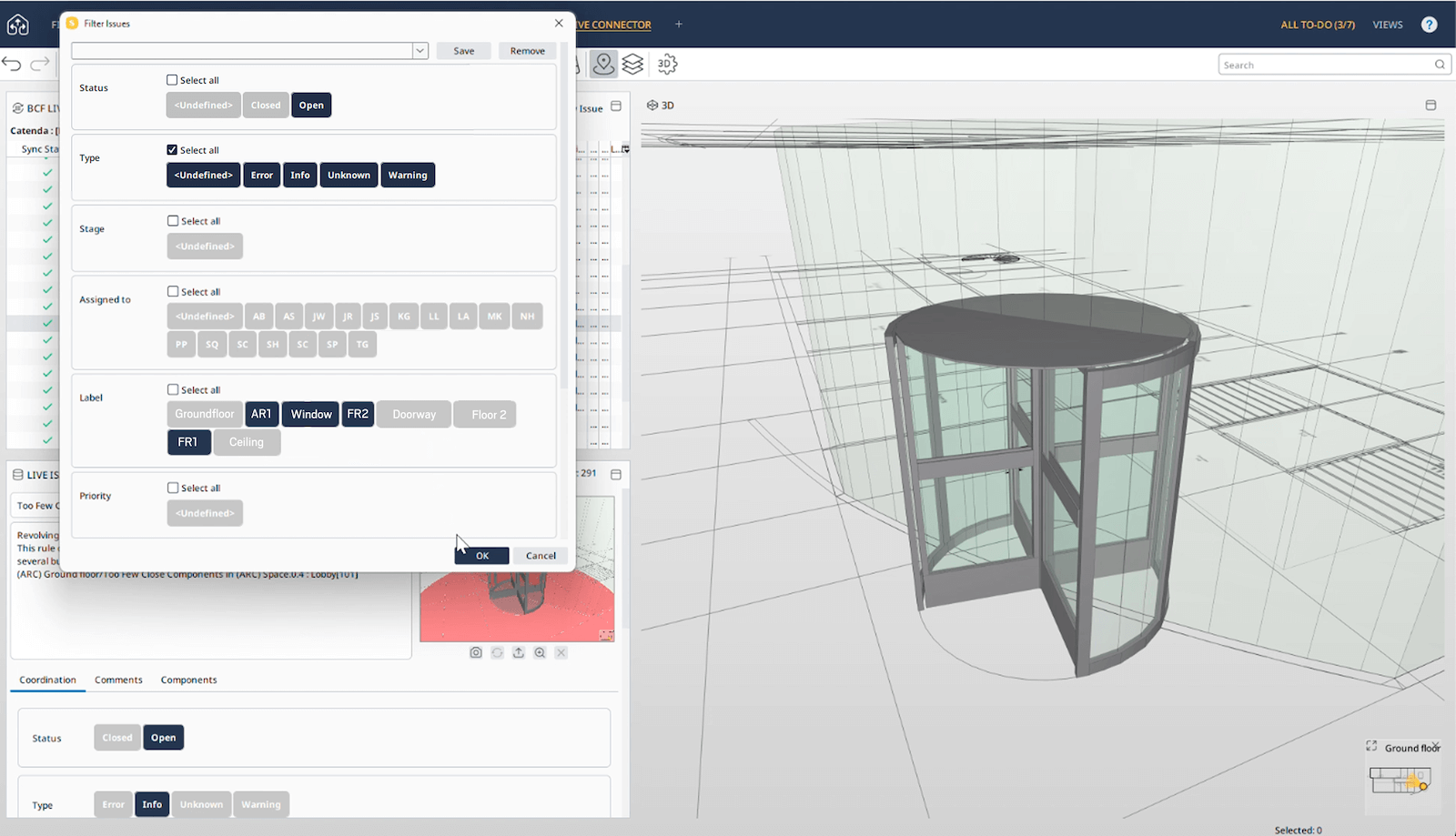
- Improved filtering: Filtering now supports multiple value selection in BCF Live. This addition is also available for Labels on the Live Issue Details view.
- Multiple issue selection: Now, selecting multiple issues in a presentation using CTRL+click no longer scrolls back to the first selected issue, allowing you to continue your selection.
- Issue sorter scrolling: We’ve improved the downward scrolling behaviour in the issue sorter to run smooth without breaks.
- IFC Header as filename: We’ve added the possibility in BCF file export for users to select the IFC Header to identify IFC models.
- New BCF Live integration: Omega 365 server is now available.
New Rule
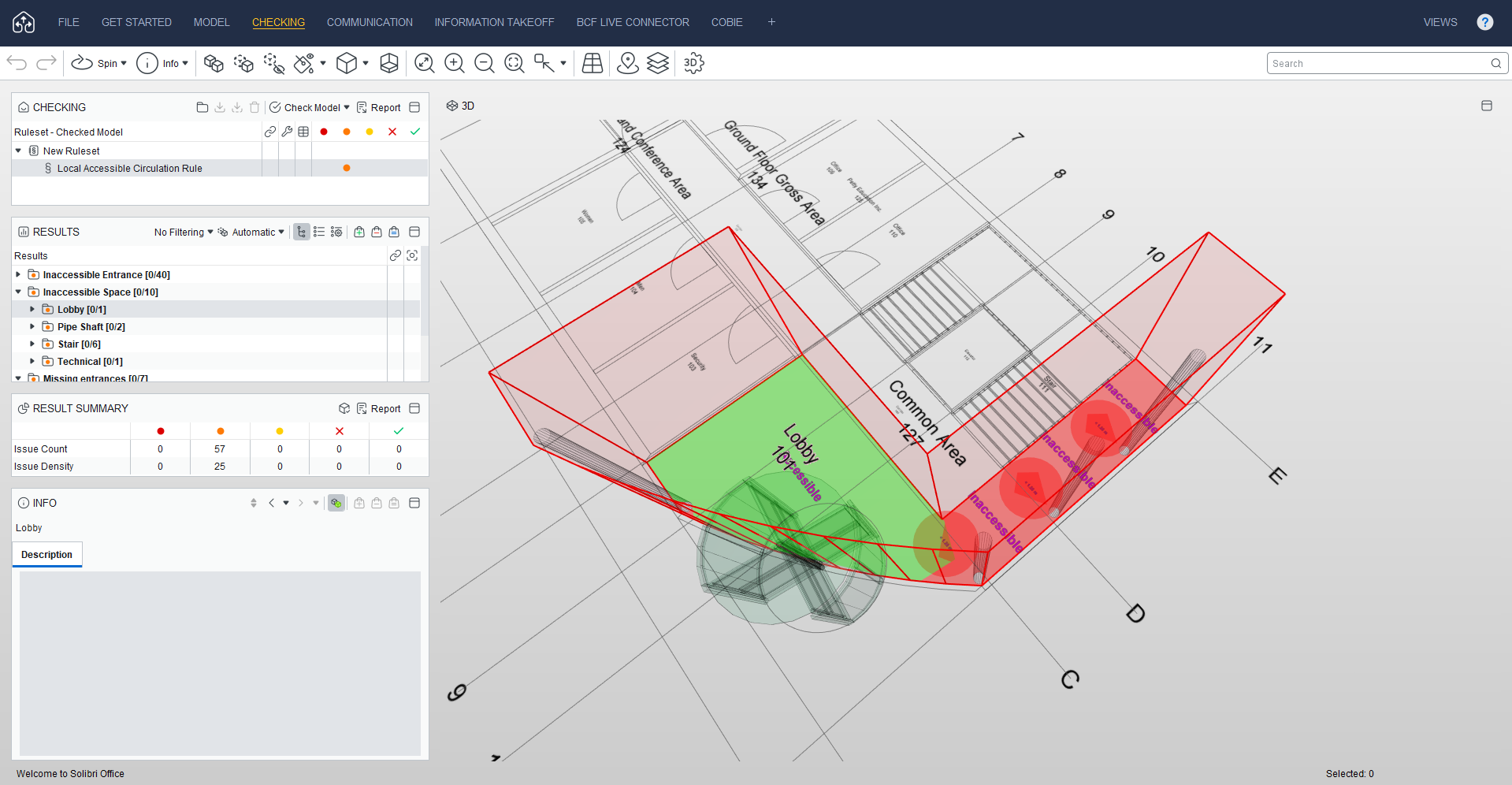
Rule 247: Local Accessible Circulation Rule
This rule checks that circulation paths within selected spaces meet the defined minimum width for accessibility. You can set the required minimum width as a parameter, and the rule also evaluates the elevation of these paths to identify any protrusions or overhanging elements that could block movement. Additional improvements have been included to check connected circulation paths and to apply corridor accessibility criteria.
Use cases:
- Validating wheelchair circulation in residential, commercial, and healthcare projects
- Checking passage widths in corridors, lobbies, and shared circulation areas
- Reviewing evacuation routes for compliance with fire and safety regulations
- Ensuring open access in public spaces such as schools, offices, and transport hubs
- Supporting design compliance checks against local and international building codes
Rules improvements
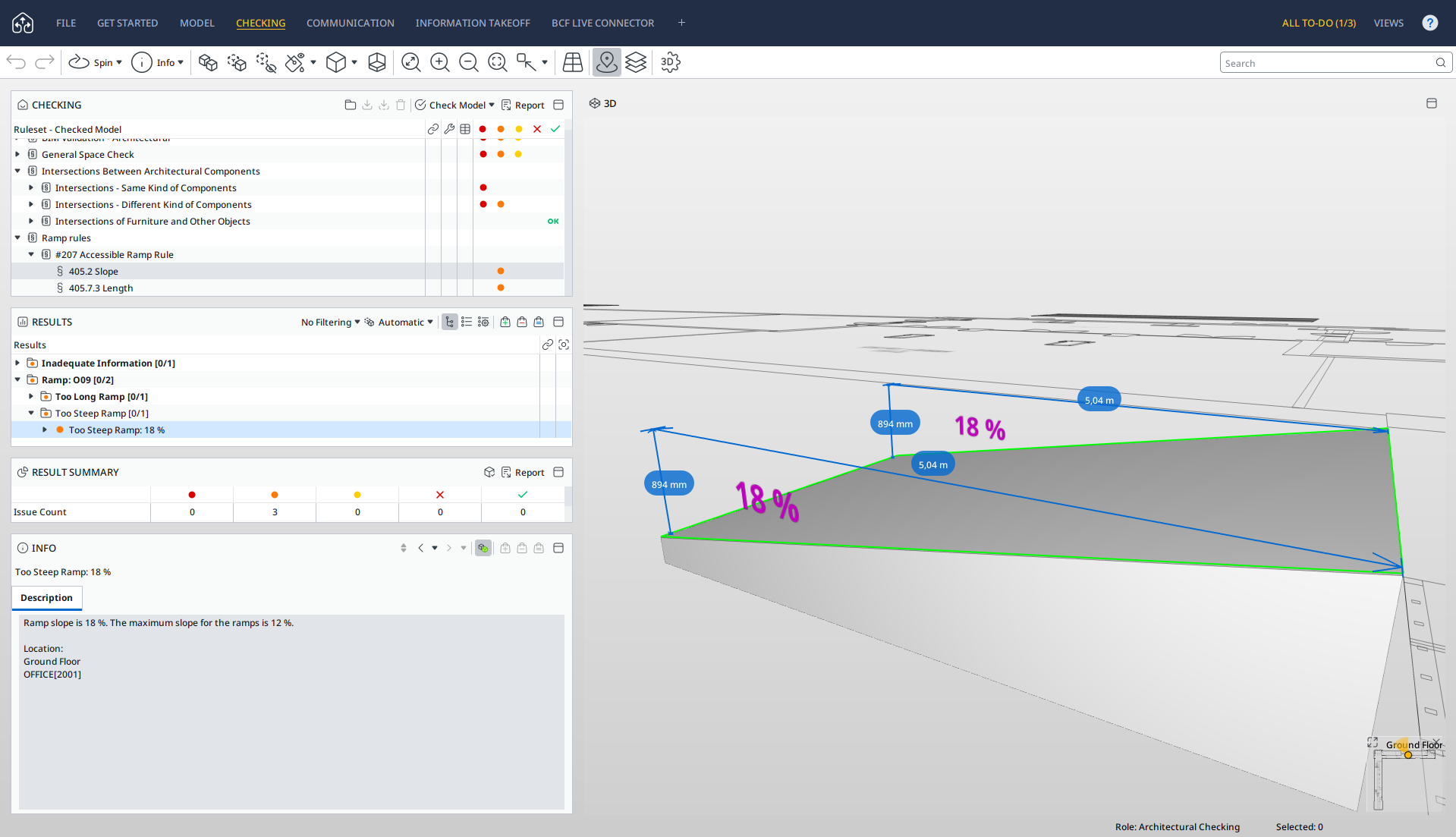
Rule 207: Accessible Ramp Rule
- Added a checkbox to verify that handrails do not obstruct accessible surfaces. A new “Accessible surfaces” filter has been introduced to support this check, which ensures that the accessible surfaces (selected using the new filter) are not obstructed by the top and bottom ramp handrails.
- Added a checkbox to ensure that intermediate landings are present between consecutive ramp flights, raising an issue if none are detected (slope is checked to confirm it is zero). The landing can be modelled separately from the ramp, be a decomposed component, or be part of the ramp geometry—the rule works for all these cases.
- Handrail extension is now validated only at the top and bottom ramp flights.
- The slope requirement is now checked for every ramp flight instead of only the bottom ramp flight.
Rule 208: Door Rule
- Added a new parameter to select a property that specifies the minimum clear width of doors, bypassing the geometric calculation
- Added a parameter to consider the door stop width for sliding doors when geometric calculations are used
- New parameters added for checking free space with an offset from the door panel on the handle side of the door.
- Allows checking door requirements without space filters or space classifications specified
Rule 203: Required Property Sets
- Added support for importing “true” and “false” values from Excel when using non-English Solibri
- Added support for Importing “=”, “≥”, “≤” operator values from Excel
Performance and usability improvements
Solibri Developer Platform:
- Added support for custom help URLs in custom rules.
- Added support for CameraState endpoint API calls for Viewpoints.
- Autorun: Added support for SAP integration.
Performance:
- We’ve improved the viewing performance of Checking and Results views, resulting in better filtering with severity symbol selection.
- We have optimized 3D distance calculation and the algorithm that checks if 3D shapes intersect, which impacts performance for any related checks.
Quantities, Units, other additions:
- IFC: Added support for Length of diagonal profiles IfcMember, IfcBeam with brep.
- Added support for stair height quantity.
- Angle settings updated to support 8 decimal places.
- Info view: We’ve added a setting to hide properties with undefined values for Material and Identification tabs.
Model Update Dialog:
- We’ve added a message in the update dialog when a model has been moved or is missing from the source location.
Bug fixes
ITO:
- Resolved an issue where *Column Name* reverted to original after ungrouping in ITO.
- Resolved an issue where SMC models with specific JavaScript ITO columns were getting corrupt.
IFC:
- Resolved an issue where newer versions of Solibri were not importing all components as compared with an older version (9.13.8) for a specific IFC model.
3D:
- Resolved and issue where Solibri was over-rotating when switching between viewpoints and issues.
- Resolved an issue where languages written Right-to-Left was displayed reversed (Left-to-Right Instead of Right-to-Left) in 3D.
Other bug fixes and small improvements:
- We have updated to Java 21. This update includes many minor fixes and security updates as well.
- Resolved an issue which caused the *Reading of IFC model failed* error message to continue on loop in certain instances.
- Resolved an issue where Offline Autorun was failing to initialize.
- Resolved an issue with dRofus extension not working.
- Resolved an issue where importing ifc zip files through Integrations or Documents API was resulting in an error.