What’s new in Solibri Office – October 2025
Update to Solibri Office version 25.9.0 and take advantage of communication and BCF Live improvements and new quality assurance rules.

Discover the highlights of the latest Solibri Office release, version 25.9.0, designed to make communication smoother and deliver more checking capabilities for your BIM workflows. This update gives project teams better ways to stay in sync via improved BCF communication and makes accessibility verification even better with new rules for passageways and ramps.
Enhanced communication & BCF improvements
Solibri Office 25.9.0 introduces several upgrades to communication and issue management, making team collaboration faster and more straightforward:
- Improved linking: Synchronization between server-side issues and local checking slides has been enhanced. Changes made locally or on the server will sync up with BCF Live and prompt conflict resolution dialogs as needed, while preserving links to checking results.
- Improved filtering: Filtering now supports multi-value selection in BCF Live. Label filtering is also available in the Live Issue Details view.
- Multiple issue selection: When selecting issues in a presentation with CTRL+click, the view won’t snap back to the first item, making multiple selections hassle-free.
Additional updates include issue sorter scrolling, the possibility to select IFC Header filenames in exports, and new BCF Live integration with Omega 365. For complete details, please refer to the product release notes.
New and upgraded rules for better checking results
Accessibility and compliance remain at the heart of successful BIM projects, which is why Solibri is dedicated to continually refining and enhancing its rules.
New rule: Local Accessible Circulation
Rule 247: Local Accessible Circulation ensures passageways meet minimum accessibility standards — crucial for safety, comfort, and regulatory compliance. You can set your own width requirements, and the rule checks for anything blocking movement, whether it's elevation changes or overhanging objects.
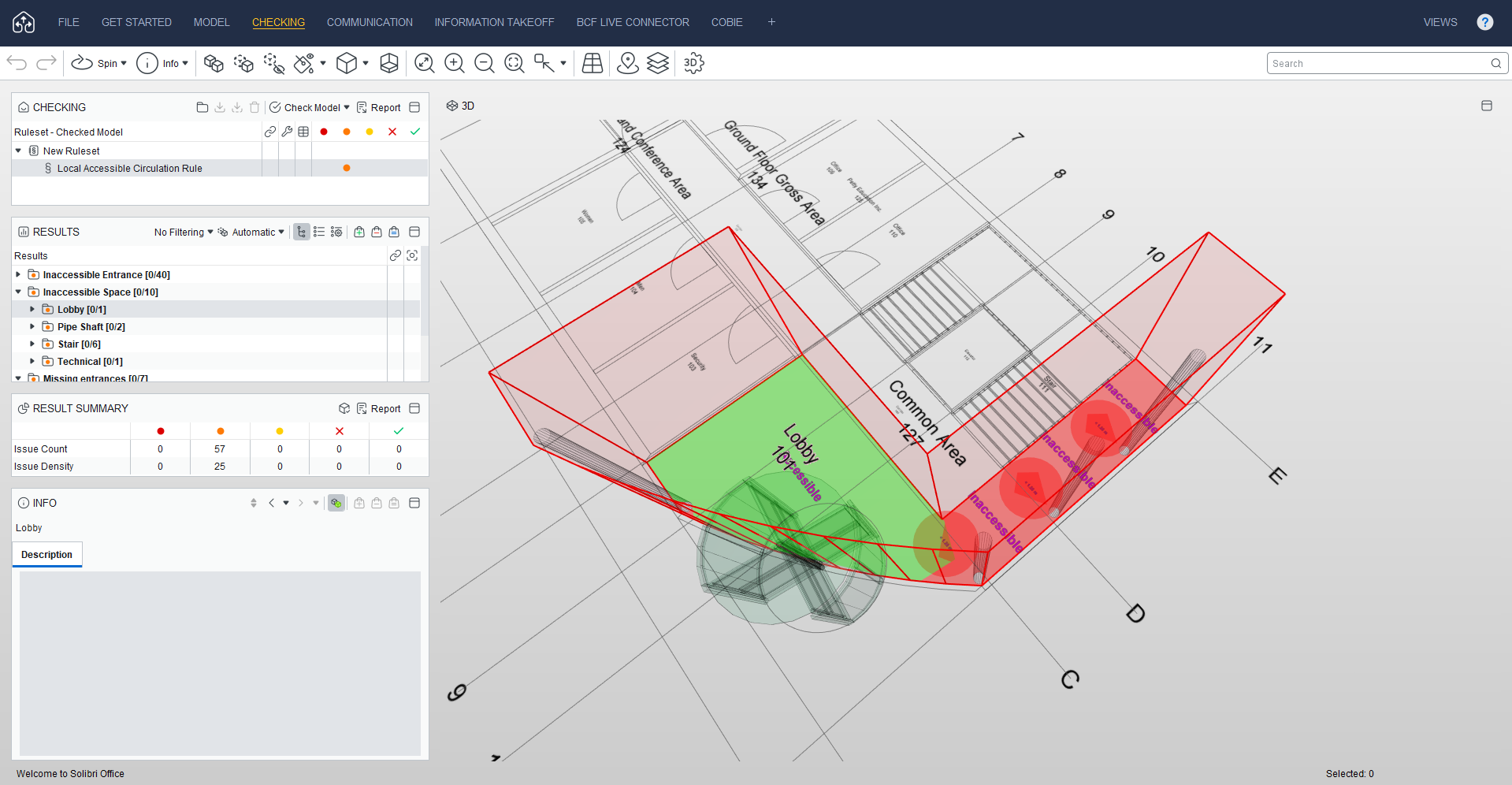
Use cases include:
- Verifying wheelchair accessibility in homes, workplaces, and healthcare facilities.
- Checking that corridors, lobbies, and shared areas meet required passage widths.
- Reviewing evacuation routes to ensure fire and safety compliance.
- Ensuring unrestricted access in public zones like schools, offices, and transit stations.
- Supporting design validation against both local and global building standards.
Rule improvements
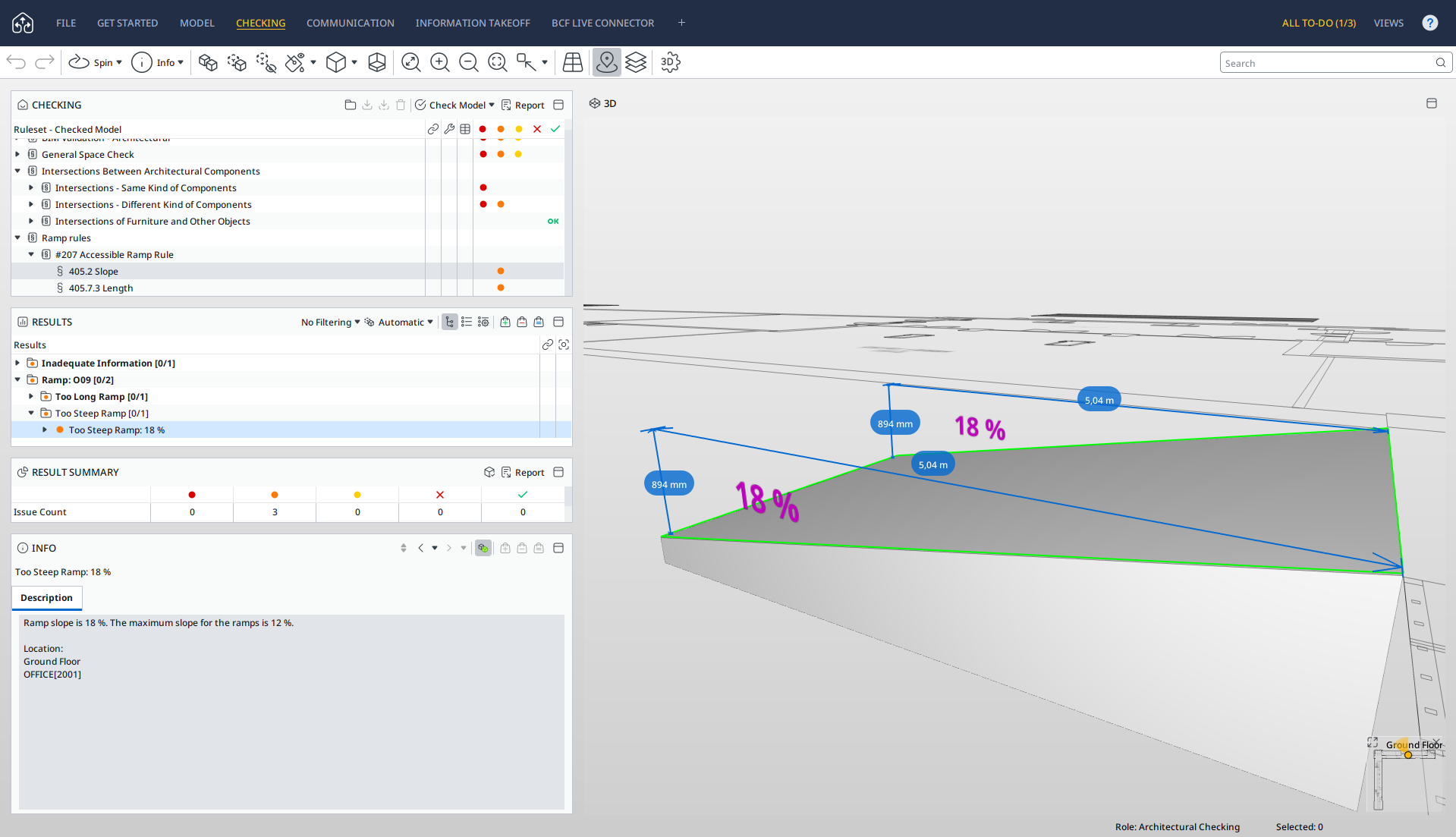
Rule 207 Accessible Ramp now verifies that handrails don’t block accessible surfaces and that intermediate landings are present, enhancing ramp safety and usability.
- Rule 208 Door Rule allows you to specify door clearances with new parameters, giving greater flexibility, especially for sliding doors and offset requirements.
- Rule 203 Required Property Sets streamlines Excel imports for non-English environments and supports new logical operator values.
View the full list of rule upgrades in the release notes.
Additional productivity upgrades
This release includes a host of performance and productivity updates to improve speed, flexibility, and usability in your daily work. You can now automate your workflows with SAP using the Autorun. We’ve optimized 3D distance calculation, added support for stair height quantity, and made many more improvements. For a full list of released features and bug fixes, check out the product release notes.