What’s new in Solibri Office – December 2025
Update to Solibri Office 25.12.0 and take advantage of new accessibility rules, smarter filters, faster performance, and stronger security in your projects.
Solibri Office 25.12.0 delivers smarter compliance checks, faster performance, and stronger security for demanding projects. This release deepens Solibri’s role as the central quality gate in your BIM workflow, with new rules for accessibility and component visibility, updates to existing rules, and improvements to usability, IFC handling, 3D tools, and secure, private integrations.
Smarter filtering, model updating, and georeferencing
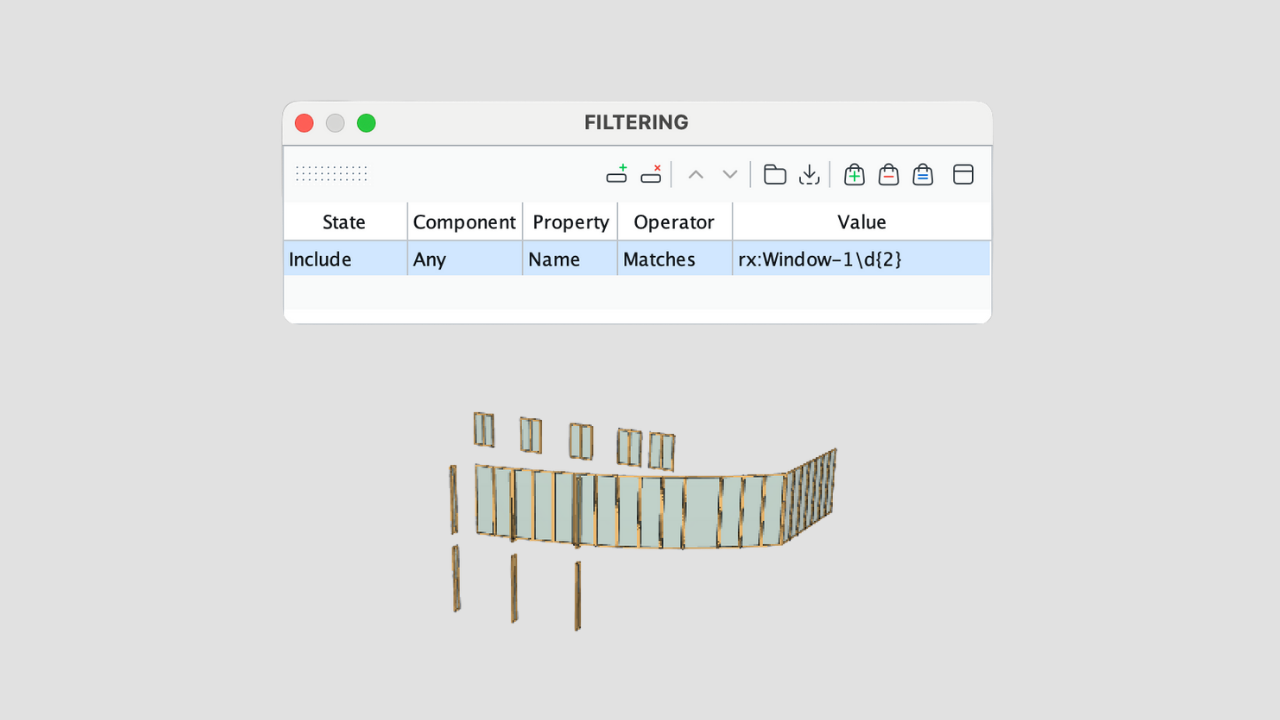
This release makes it easier to control and maintain large models by adding regular expression support to filters, rule parameters, and classifications, so you can target components and data with much greater precision.
Solibri now also stores relative file paths in the Model Update dialog to keep updates resilient when project folders move, and introduces initial georeferencing support for IfcProjectedCRS and IfcMapConversion as project properties, helping you align models with real‑world coordinates and support location‑based workflows.
You can find a full description of these enhancements in the 25.12.0 release notes.
New rules for accessibility and component visibility
This release adds three new rules that extend Solibri’s strengths in accessibility checking, usage logic, and visual analysis.
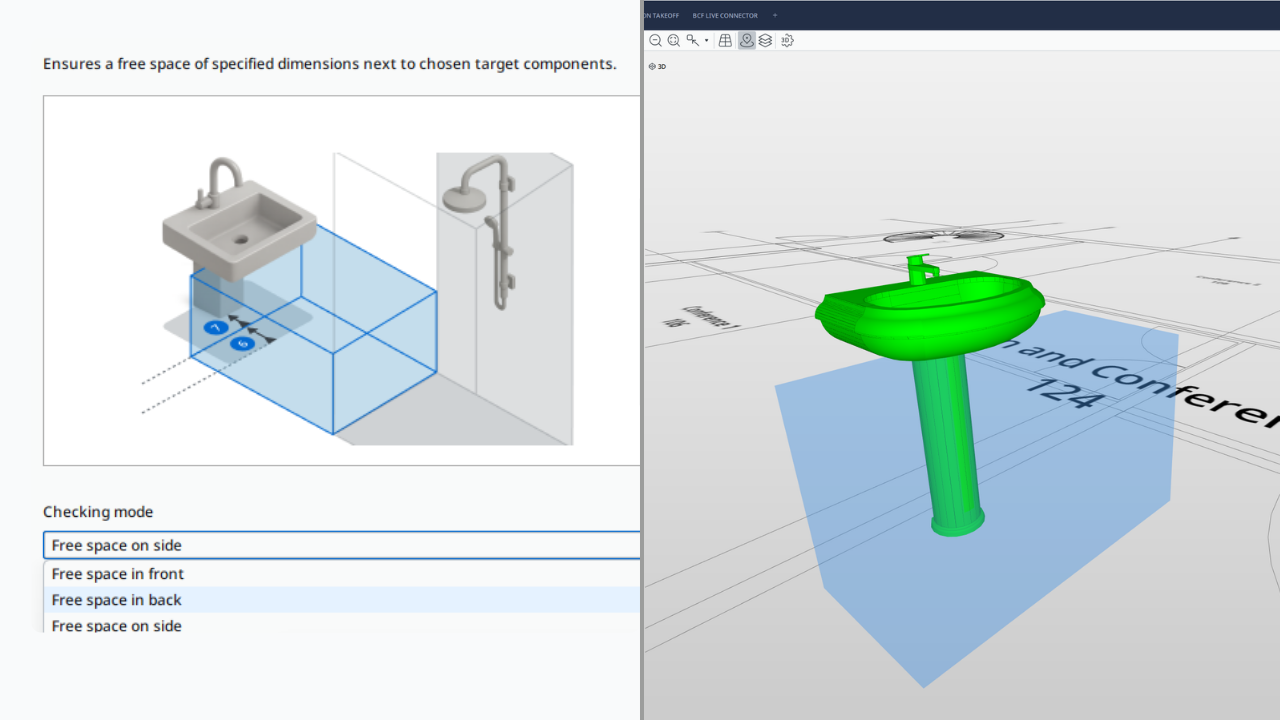
Rule 248 – Clearance Space Accessibility ensures that required free space exists in front, behind, or beside selected components, such as toilets, and that this clearance remains free of obstacles. You can define target components with filters, restrict checking to certain spaces, automatically merge adjacent spaces into continuous clearance zones, and configure a 3D clearance box with precise horizontal and vertical limits, including optional allowances where a component is permitted to protrude into the free area. Learn more.
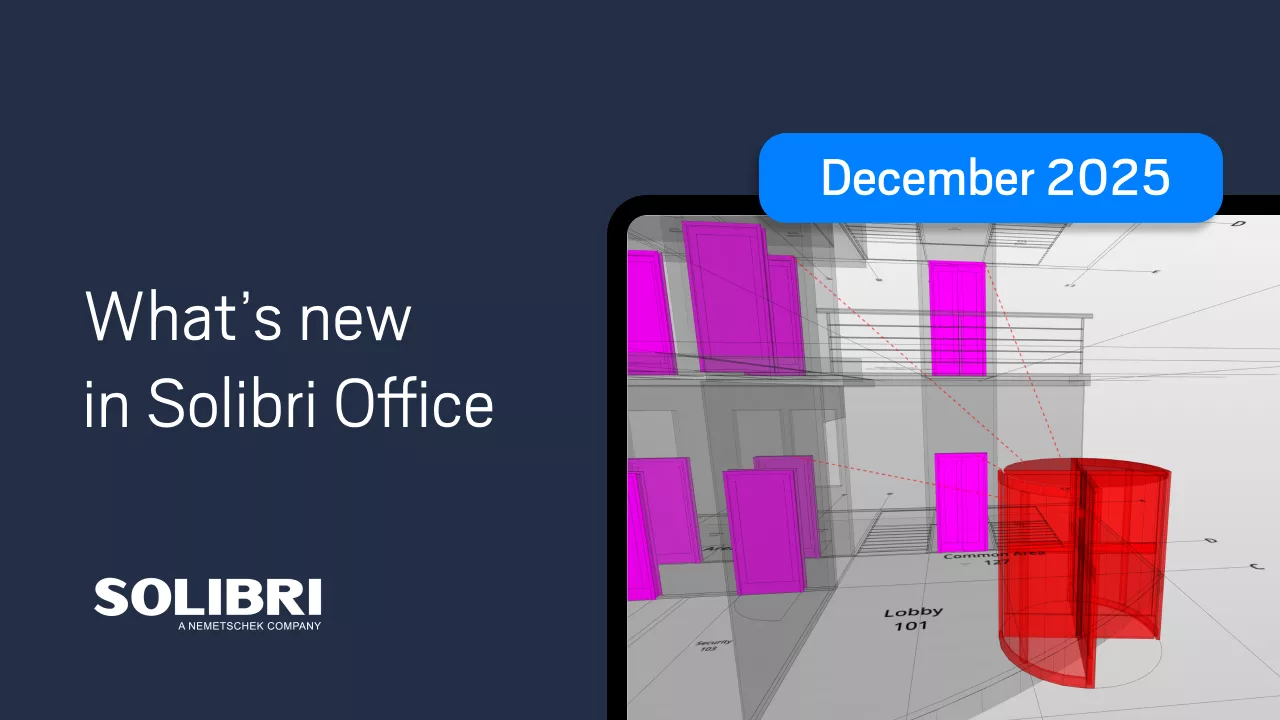
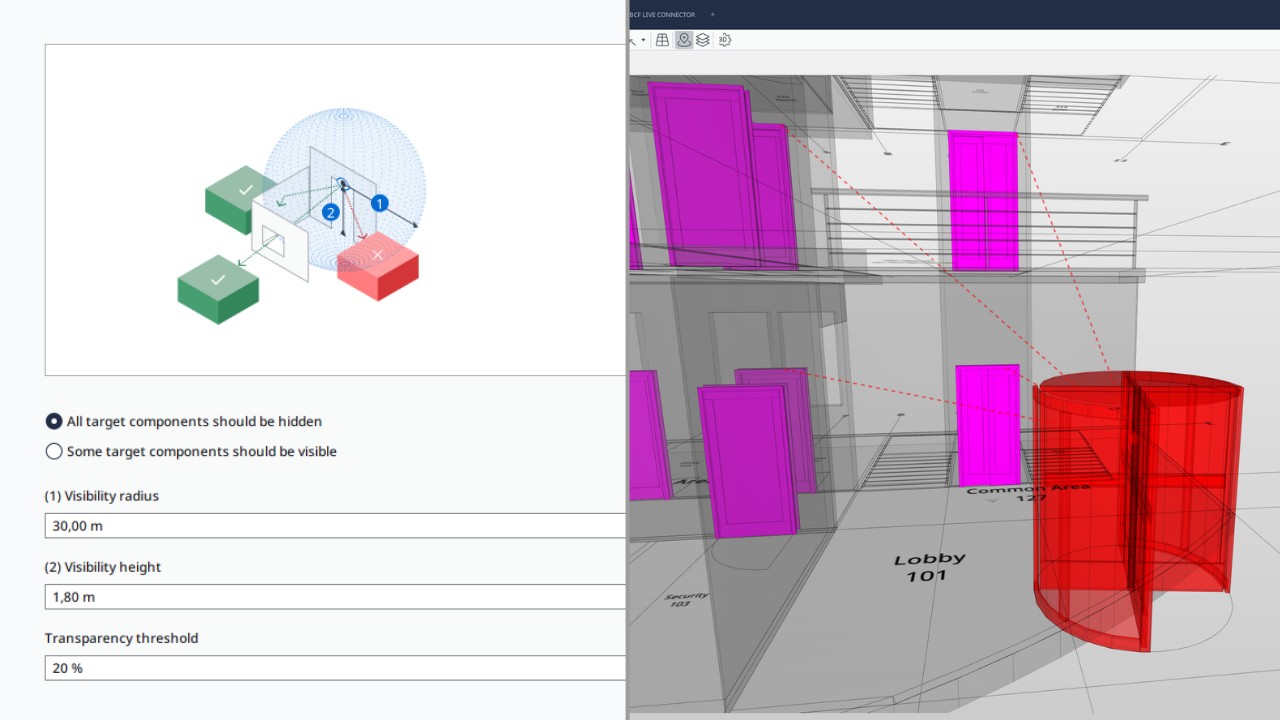
Rule 250 – Component Visibility checks whether selected target components are visible or hidden from defined start components within a given radius and eye height, helping you verify privacy, sightlines, and visibility requirements in the model. Using filters, you can define both viewpoints and visibility targets (for example, from entrance doors toward specific rooms), set which elements act as obstacles, apply a transparency threshold, and configure viewing distance and eye level. Learn more.
Rule 252 – Accessible Route Compliance verifies that routes between defined start and end points—for instance, from workplaces to accessible toilets or from parking areas to service zones—are continuous, obstruction‑free, and compliant with key requirements for width, headroom, and, when needed, passing spaces. You can specify route components such as spaces, slabs, ramps, and doors, identify obstacles and vertical connectors like stairs or elevators, set minimum clear dimensions, and check for additional widening at defined intervals along narrow routes. Learn more.
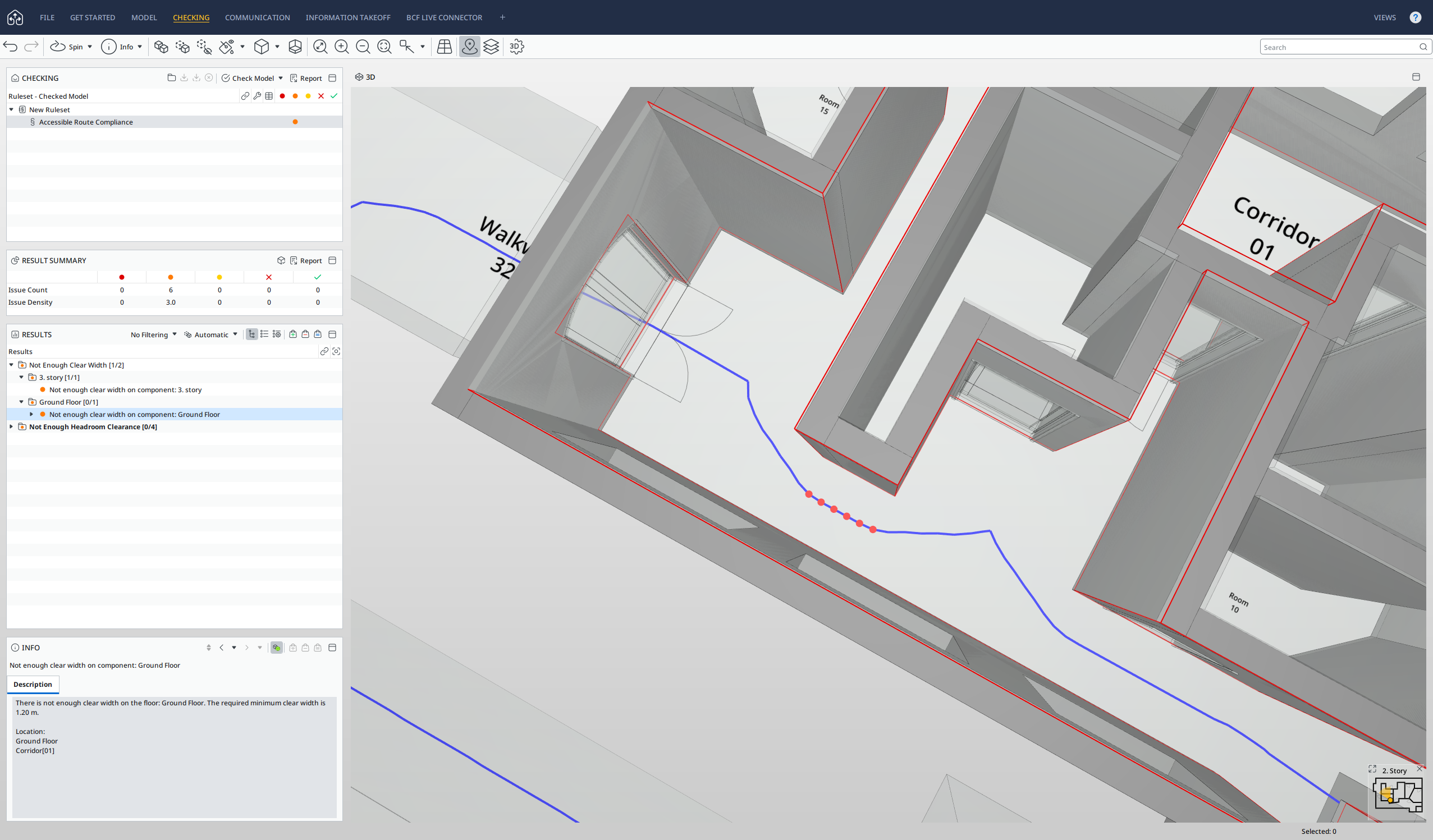
You can find detailed parameter descriptions and examples for each of these new rules in the Solibri Office release notes 25.12.0.
Enhanced rules for circulation, stairs, parking, and IDS
Several existing rules have been upgraded to provide more reliable checks and clearer results, particularly for accessibility and data compliance.
- Rule 247 – Local Accessible Circulation now offers independent handling of space accessibility and door‑based space checks, and visually splits spaces into green accessible and red inaccessible areas, with the rule passing when more than 90% of the space is accessible.
- Rule 210 – Accessible Stair Rule has been expanded to detect and validate Tactile Ground Surface Indicator (TGSI) components on stair landings, checking depth, offset, and coverage on top, bottom, and applicable intermediate landings.
- Rule 237 – Parking has been improved to make orientation handling more flexible and transparent. You can now derive parking space orientation without defining driveway aisle components and decide whether spaces with unclear orientation are included or excluded from checking results.
- Rule 244 – IDS Validation continues to support model checking against IDS files and now embeds a read‑only web view of the IDS Editor directly inside the rule, ensuring full consistency between authored IDS requirements and Solibri validation. A new option also allows you to pre‑filter components with the Solibri filter before running IDS checks, making it easier to focus on the most relevant parts of the model within a broader IDS workflow.
For a full list of changes, see the Solibri Office release notes 25.12.0.
Faster startup, improved 3D tools, and updates to IFC
Beyond rules, 25.12.0 introduces a wide set of improvements that directly impact daily usability and coordination:
- Startup and launch times have been improved, helping teams open projects and switch contexts more quickly—especially beneficial when working with multiple large models.
- IFC handling has been strengthened with better cutting of components using half spaces, fixes to mirrored openings and specific orientation issues, improved recognition of covering systems, and more reliable import of system‑component relationships and building storey name updates.
- 3D tools and views have also been refined. Markup tools now support continuation, allowing you to add to the same markup workflow without restarting. Measurement tools also offer more customization, including the automatic hiding of distance factors and adjustable transparency for measurement bubbles.
Support for high‑security projects
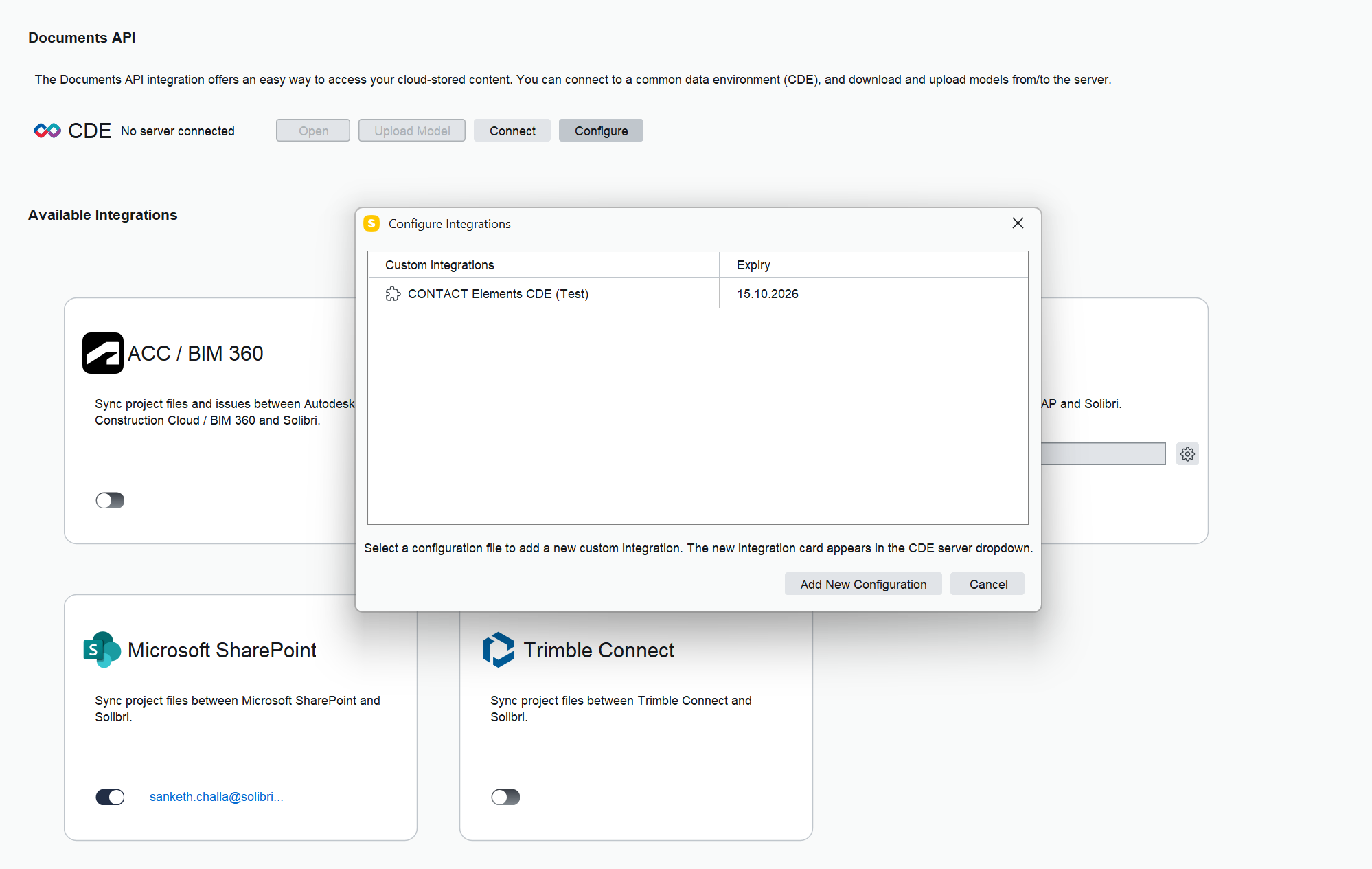
For teams working under strict security requirements, 25.12.0 strengthens both connectivity and underlying platform security. Solibri now supports connections to custom local, private CDEs and BCF servers, enabling organizations to integrate issue management and model coordination with their own secured infrastructure. For more information, contact the Solibri team at [email protected].
For a full list of released features and bug fixes, please view the Solibri Office 25.12.0 release notes.